

Stop Making Visitors Render Your PDF: A Fast 4G Benchmark
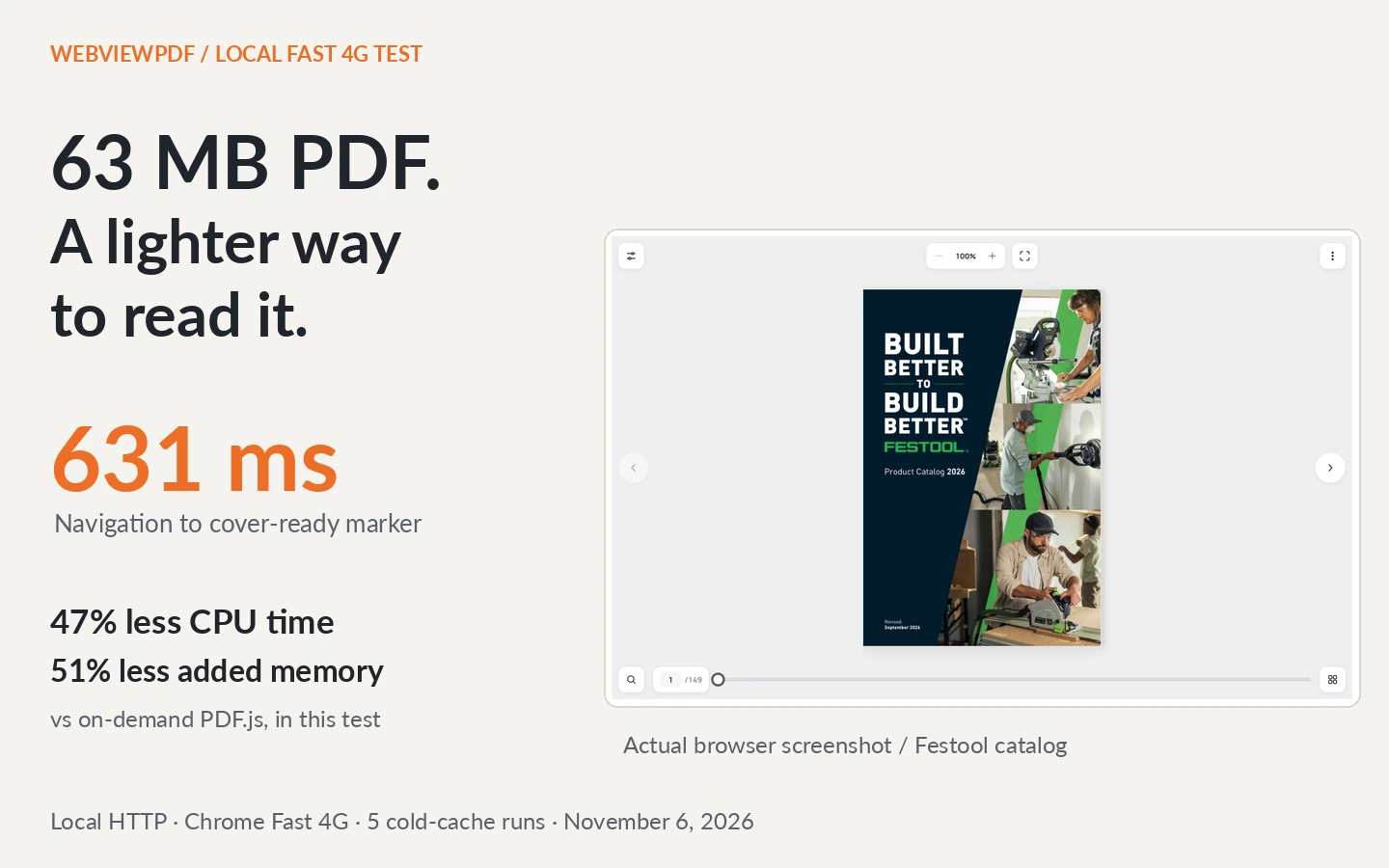
The catalog is 63.2 MB. Opening it on your website should not require downloading and interpreting the whole file. On our local Fast 4G test, WebViewPDF v4's cover-ready marker arrived in 631 ms. A minimal PDF.js renderer with byte-range loading and background fetching disabled reached its cover in 6.08 s. Here are the same-file results, actual screenshots and exact test conditions.
An HTML <embed> tag is one line of code. The work behind that line can still be substantial: the browser has to fetch PDF data, interpret the document and draw its pages. Installing PDF.js gives you control over that process. It does not remove it.
WebViewPDF prepares page images before readers arrive. V4 puts the first view into the iframe HTML, so the browser can load and display the cover while the interactive player starts. That is the difference we wanted to measure.
Our position: for a heavy visual catalog, delivering prepared reading assets is a better default than making every visitor render the source PDF. Keep a PDF download for people who need the file. Build the browsing experience around what the visitor needs to see next.
One catalog, four readers, one Fast 4G profile
We used the Festool Product Catalog 2026: 63,163,456 bytes, 149 PDF pages, with web linearization already enabled. The local publication also has 149 reading pages. Its PDF hash matches the original behind our public Festool demo; that public demo is not the server used for these measurements.
All measured HTTP responses came from 127.0.0.1. The viewer, images, PDF.js library, worker and source PDF were served by the existing local development services. No production download, public CDN, disk response replay or VPN exit was on the measured delivery path.
We applied Chrome DevTools' Fast 4G preset: nominal 9 Mbit/s download, 1.5 Mbit/s upload and a 60 ms target RTT. Chrome's preset uses adjusted emulation values of 1,012,500 bytes/s down, 168,750 bytes/s up and 165 ms latency. Those exact CDP values are recorded in the report. This is desktop network emulation, with no CPU slowdown, at 1280 × 800 and DPR 1.
The four cases were:
- WebViewPDF v4: the production reader code on the supplied local publication, including its controls and nearby-page prefetch.
- Chrome native PDF embed: a real
<embed>loading the original PDF directly from local S3. - PDF.js, default fetching: version 6.5.438, a worker, one cover canvas and normal streaming/prefetch behavior. No toolbar or text layer.
- PDF.js, on demand: the same renderer, with
disableAutoFetch: trueanddisableStream: true, against a server that really returns206 Partial Content.
Both PDF.js cases use an identical local copy of the PDF, served on the fixture's origin. Its responses expose the full length and accept byte ranges. PDF requests use identity encoding so compression cannot silently disable range loading. The module files use normal HTTP compression. The native reader receives the original S3 response without request interception.
The results
| Measurement | WebViewPDF v4 | PDF.js, default | PDF.js, on demand | Native PDF embed |
|---|---|---|---|---|
| Navigation to cover-ready marker | 631 ms | 6.33 s | 6.08 s | No comparable marker; still loading at 15 s |
| Browser CPU time in first 15 s | 0.34 s | 1.92 s | 0.64 s | 1.26 s |
| Added browser memory at 15 s (PSS) | 58.5 MB | 211.6 MB | 120.0 MB | 147.2 MB |
| Encoded HTTP response bodies received in first 15 s | 0.65 MB | 14.47 MB | 1.94 MB | 14.85 MB |
Medians of five fresh-browser runs per case. A separate five-run series collected traffic, so writing a detailed network log did not inflate the CPU or memory comparison. These are first-15-second snapshots, not a whole-catalog download budget or peak memory measurements.
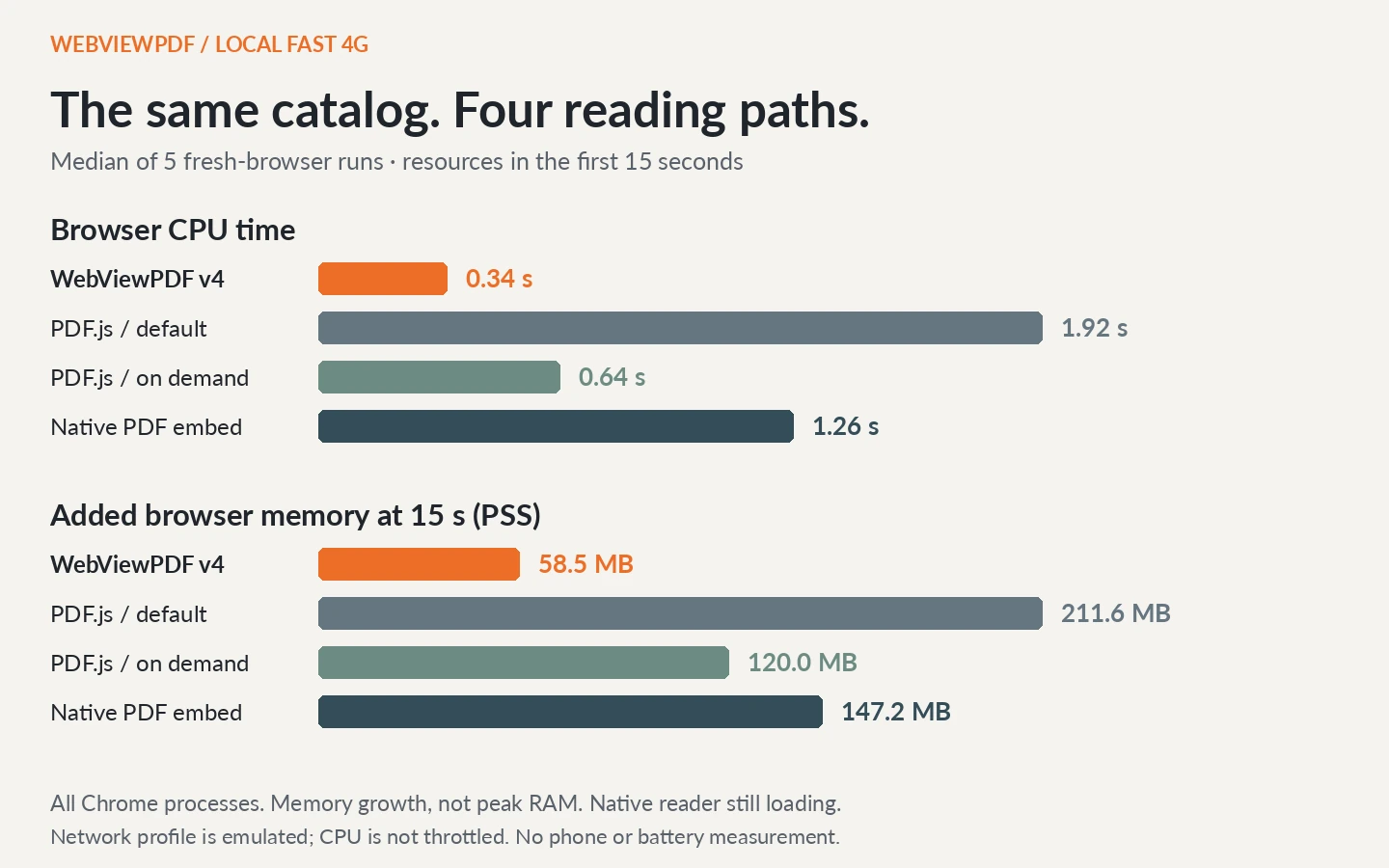
For v4, “cover ready” is the cover image's load marker with synchronous decoding. For PDF.js it is completion of the cover canvas render task. Both are aligned to navigation of the containing page. They are application markers, not identical paint events, host-page LCP scores or a guarantee of full interactivity at that instant.
Compared with on-demand PDF.js in this experiment, v4 reached its cover marker about 9.6× earlier, used 47% less browser CPU time and added 51% less browser memory during the observation window. Those results include the delivery and processing of each reader's assets. They are measurements of these reading paths on this catalog, not universal multipliers for every PDF or device.
What an ordinary HTML PDF embed did
The native case used an actual browser reader:
<embed
  src="/files/catalog.pdf#zoom=61&navpanes=0"
  type="application/pdf"
  width="1200"
  height="800"
  title="Product catalog">
Its source supported byte ranges and served the original PDF inline, without a download-handler detour. The sidebar was hidden and zoom set to 61% to approximate the cover size in the other readers.
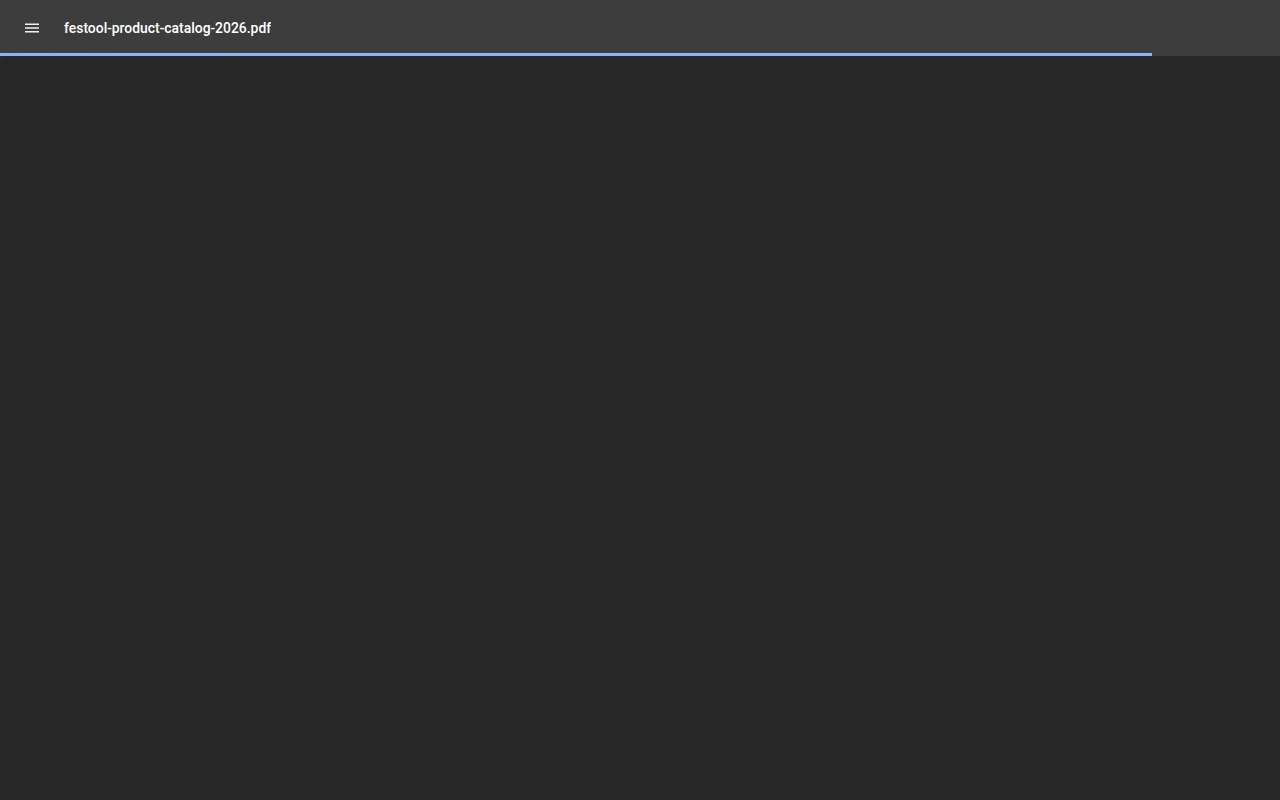
<iframe> and <object> can give you different integration controls or fallback content. They still hand the PDF to a reader. The HTML wrapper does not pre-render the catalog's graphics or choose a smaller page image for the visitor.
For a short document, native viewing may be entirely sufficient. For this heavy catalog, the screenshot and traffic record show why a small embed snippet is not itself a performance strategy.
PDF.js with proper range loading still has a job to do
We did not disable its worker or ask it to render all 149 pages. Both PDF.js cases draw just the first page into a roughly 411 × 616-pixel canvas. They have less interface functionality than WebViewPDF's full reader.

The on-demand configuration was:
const doc = await pdfjsLib.getDocument({
  url: "/catalog.pdf",
  disableAutoFetch: true,
  disableStream: true
}).promise;
The raw report records successful 206 responses for this case. Its 1.94 MB traffic figure includes the PDF.js library, worker, wrapper and requested PDF data within the observation window. It is not just a sum of PDF ranges that leaves out the renderer.
That distinction matters. PDF.js can avoid a whole-file download; the on-demand column demonstrates it. It still has to fetch the document structures and graphics needed for the cover, interpret them and render the canvas. With prepared pages, v4 follows a shorter content-delivery path for this catalog.
You can build a good PDF application on PDF.js. You also own the surrounding work: page scheduling, canvas cleanup, search, text selection, zoom, loading states and touch controls. WebViewPDF supplies the publication workflow and reader together.
The first page does not wait for the whole player
V4's iframe HTML already contains the first view, its responsive image sources and preload instruction. The browser can discover the cover while parsing the response. The interactive player then adopts that existing view.
Nearby pages are prefetched in the background. Search and navigation modules load when used; higher-resolution zoom images load separately. Image decoding, layout, text and animation still consume browser resources. Preparing the PDF also has a server cost at publication time. The advantage is doing PDF interpretation before each reader's visit.
We checked the first view with JavaScript disabled:

The same publication also adapts to a narrow viewport:

Try it with the catalog your visitors actually read
Upload your PDF, wait for processing and copy the publication's embed code. Our PDF embedding guide covers the HTML and CMS steps.
Test a cold opening as well as a repeat visit. Keep the network profile, viewport and file identical between readers. Turn pages, search for a part number and zoom into a specification. A fast cover matters; the reader must remain useful after it opens. For those publishing features, see six benefits of a flipbook for your catalog.
A line of HTML can embed a heavy file. Preparing a web publication changes what the browser has to receive and do. This Fast 4G test makes that difference visible without putting a production connection or a VPN between the benchmark and its sources.
Turn your PDFs into interactive catalogs
WebViewPDF turns static PDF files into interactive flipbooks you can embed on any website. Perfect for catalogs, magazines, brochures and presentations — bring your documents to life in a couple of minutes.
Start your 14-day free trialMethod and reproduction
Measured November 6, 2026, on Linux, AMD Ryzen 7 9800X3D, Chrome 156.0.8078.79, WebViewPDF v4 (entry bundle player.V44ZU7BI.js) and PDF.js 6.5.438. The full URL of the supplied local viewer is recorded in the raw report. The test uses the existing local embed/S3 services and temporary HTTP fixture files; no new application service was started.
Each attempt launches a fresh browser process, explicitly disables the HTTP cache and bypasses service workers. Case order rotates between repetitions. Fast 4G is configured on page and iframe targets before they resume. Chrome workers inherit their owning page's profile; we verified the effective worker throughput independently. CPU is not throttled.
The calibration downloaded 1,012,500 incompressible bytes in 1172 ms from the page and 1168 ms from a worker. Response IPs were loopback. Production hostnames were blocked and the browser used a direct local connection. No route.fulfill or local disk response replay was used in the measured series.
The original native PDF URL is on local S3. PDF.js uses a byte-identical copy served on the local fixture origin, avoiding cross-origin header visibility problems. The PDF-only request header selects identity encoding; responses are streamed by the real HTTP server, with Content-Length and Accept-Ranges: bytes. Other resources retain normal browser compression. Each original/copy range probe returned 206 and 65,536 bytes. These local origin and hosting details are part of the experiment, not a claim about every possible PDF deployment.
Browser CPU time sums process-tree user/system ticks sampled every 250 ms. Added memory is aggregate process PSS at the 15-second snapshot minus its pre-navigation baseline, with no forced garbage collection. Short-lived processes between samples can be missed. These are neither peak RAM nor mobile or energy measurements.
The separate traffic series uses Chrome NetLog across all targets, including worker and native-reader traffic that a page-only DevTools counter can miss. It counts encoded response bodies received before the cutoff. The host wrapper, renderer modules, fonts, text and page prefetch are included; favicons, synthetic analytics, HTTP headers and transport framing are excluded. An in-flight download contributes only bytes received by that point. Screenshots are taken after the resource snapshot.
All 40 final attempts completed without script errors, HTTP error responses or protocol errors. All v4 and PDF.js cover markers fell within the observation window. No final attempts were discarded. The old unthrottled production and disk-replay timings have been replaced by this local Fast 4G experiment; they are not mixed into these medians. Download all samples, profile settings and request evidence and the calibration report.
Source PDF SHA-256:
1e8b5b99501f5246fd2ed08adf7f0a073b1f4f96fefd3c565e36e9cc806c5699
FAQ
Does this mean every reader will see the cover in 631 ms?
No. This is the median of five cold-cache runs on a desktop browser with local servers and a specific emulated network profile. Real server latency, radio conditions, device CPU, browser version, caching and the publication itself change the result.
Does PDF.js always download the entire PDF?
No. The on-demand case uses real byte ranges and disables streaming and automatic fetching. It is included specifically to compare against a more careful PDF.js setup. Mozilla documents these loading options.
Does WebViewPDF download the original PDF to show the cover?
No. The reading view uses prepared page assets. Downloading the original is a separate action when the publisher enables it.
Can readers search the catalog if its pages are images?
Yes, for PDFs with extractable text: WebViewPDF uses a separate text layer and catalog search. Scans need OCR before upload. See the searchable PDF catalog guide.
Sources
Checked November 6, 2026.
- Our public Festool demo, for an example of the catalog; measurements used the supplied local upload. Catalog artwork belongs to Festool. No endorsement is implied.
- Chrome DevTools NetworkManager source: exact Fast 4G preset and adjustment factors, retained with a hash in our research inputs.
- Chrome DevTools Protocol, Network domain.
- Mozilla PDF.js FAQ: visible-page rendering and byte ranges.
- PDF.js 6.5.438 loading options.
- Linux proc documentation: proportional set size.